Switching from Blogger to Wordpress
Yesterday I sat down and tried to start making my blog look a little snazzier. The default templates in blogger were fine, but I wanted more flexibility. I was delighted to find templates, backgrounds, clip art, fonts, and more — all available for free on the net. So, I found a few templates I liked and decided to try them out. I read several informative articles, so I felt well prepared for the task ahead.
But a curious thing happened. The menus on Blogger looked nothing like the ones I read about. I tried cutting and pasting templates in, but they wouldn’t work. Strange. For the next two hours, I searched the web in pursuit of an answer. I never found it — but, I had developed a hunch about this conundrum. When I clicked on “Customize Design”, blogger spit out, “Blogger Layouts customization is not supported for blogs hosted on non-Blog*Spot servers.” This was fine and dandy…but I didn’t want to customize a Blogger layout; I wanted to import another template from the web. Still…I wondered if this was related to my problem. So, I created a test blog that was not hosted on my server. Sure enough, the menus that the guides spoke of were there.
So….This left me with a sticky situation. If I wanted to host my own blog, I could not customize its design. I finally decided that I was neither willing to forgo customizations, nor was I willing to host my blog on Blogger. It was time for a change.
Luckily, there is a great alternative! WordPress. And here it is! There were a few hiccups, but pretty soon, my blog was back! :-) I’m happy to say that WordPress allowed me to import all my previous blog posts and comments. I was even able to customize the links that WordPress uses, so all links to my blog should still work! This is my first attempt at customizing a blog, and credit is certainly due to those who designed the template I started with. I hope you like it…we’ll see what I can do in the future.
Filed under Blogging | Comments (2)Broken Camera Card

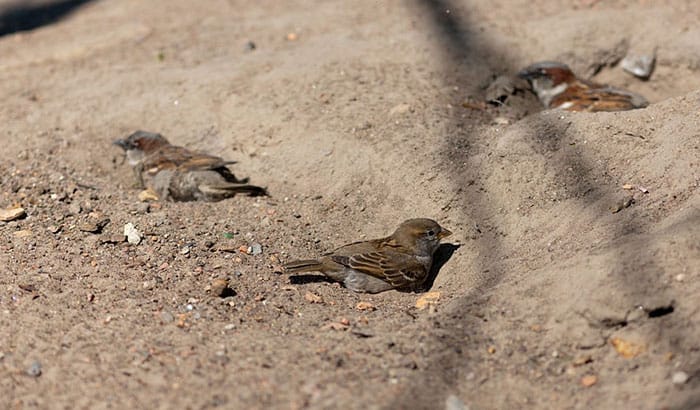
If you’ve ever wondered what a camera card looked like on the inside, take a look. Early this week, I was taking some shots of Finches in my yard. I went inside and excitedly pulled the card out to see what I had captured. But, as I slid my card out of my camera, it split in two. Sigh.
Now to see what I could recover! I smooshed the card back together and held it firmly as I stuck it into my computer. To my delight, it was reading the card! I was able to recover some of my pictures, but others would not copy.
The next task was to buy a new camera card. I procrastinated as I knew that camera cards were very expensive. But, when I found myself at an office supplies store on a completely unrelated errand, I knew I had to plunk down the change and buy a new card……I was shocked! The prices on camera cards have really come down since I last bought one. My new camera card has twice the capacity and cost 1/4 of what my last card did.
So, I haven’t had much of a chance to photograph anything in my yard this week. But, I did have all the left over pictures on my camera card that I was able to salvage. Here is a collection of pictures that have never made it past my camera card.
My cat likes to watch the birds as much as I do!
Finch action shot!
The Finches in my yard are getting pretty used to me. I was only about 1 1/2 yards away from these birds when I shot this.
Extra credit for anyone who can identify this bird. I saw it at the aquarium near us, but I couldn’t identify it. (Shouldn’t they have a sign?)